Computing/Software & Security/Windows
Windows 11 26H2 Fall Update: All the New Features You Need to Know
Microsoft’s biggest Windows 11 update yet promises privacy upgrades, smarter search, and a refreshed look—discover every new tweak and how it impacts your daily workflow.
By Parker Lane · Updated August 16, 2026 at 9:41 AM
The Big Picture
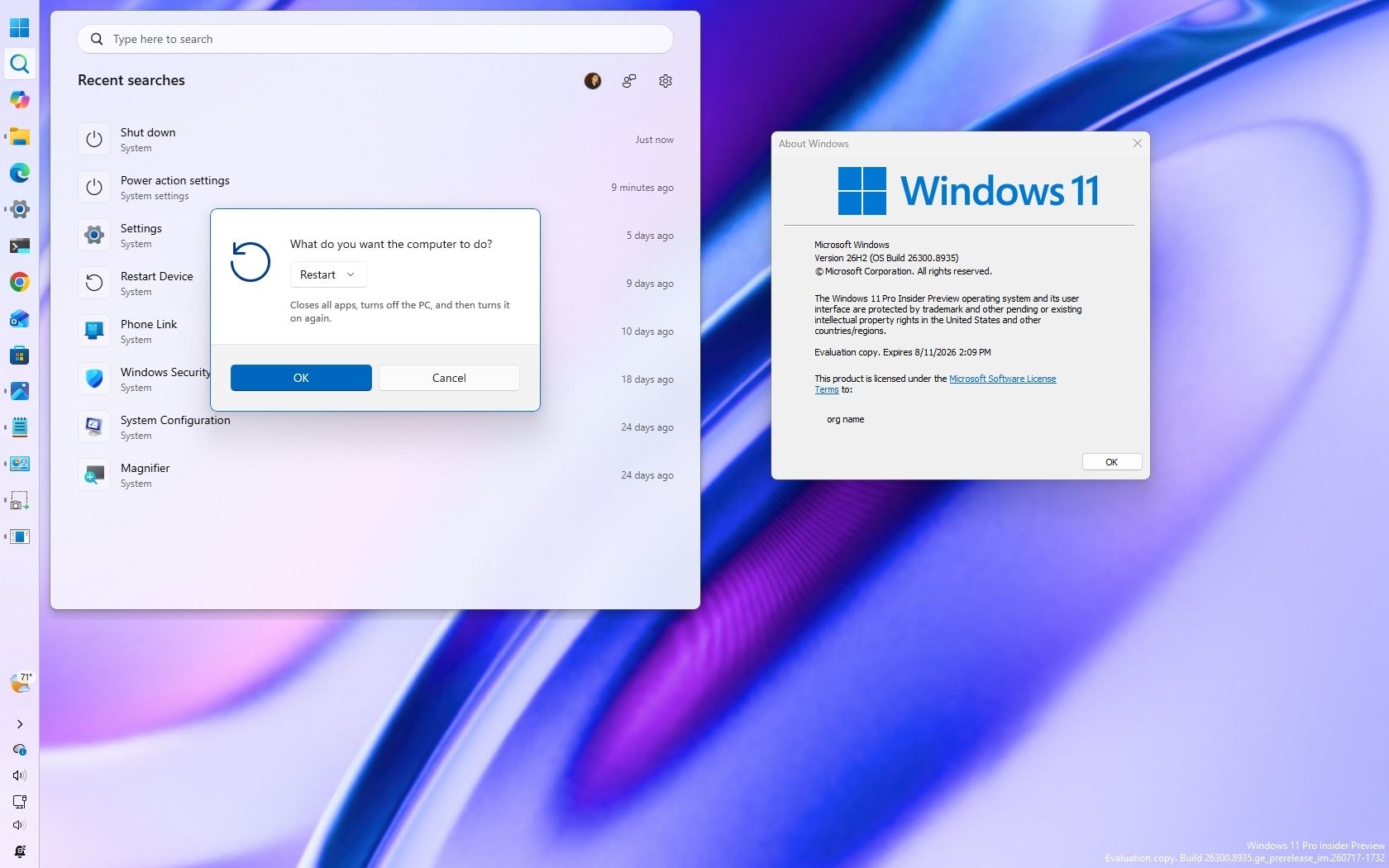
Microsoft’s upcoming Windows 11 26H2 update, slated for release this fall, is set to revamp the operating system with a wave of new features that blend convenience, privacy, and a sleeker aesthetic. While the core architecture of Windows 11 remains unchanged, the update focuses on refining the user experience across several key areas: the Start menu, Taskbar, Windows Search, voice access, File Explorer, widgets, and notifications.
Start Menu Gets a Privacy‑First Makeover
One of the headline‑grabbing additions is a new privacy setting that allows users to hide their account name and profile picture during screen‑sharing sessions. The feature is particularly useful for professionals who share their desktop in video conferences and want to keep personal details out of sight.
"The new setting gives you control over what you share, which is a welcome improvement for privacy‑savvy users," a Windows Insider noted in a recent test.
In addition to privacy, the Start menu now supports preset size options, giving you quick access to a compact, medium, or expanded layout. This makes it easier to match the Start menu’s footprint to your desktop real estate, especially on multi‑monitor setups.
Taskbar Tweaks and Accent‑Color Badges
Microsoft has refreshed the Taskbar to improve both aesthetics and usability. The most noticeable change is that notification badges now appear in the Windows accent color instead of defaulting to bright red. This subtle shift reduces visual clutter and aligns notifications with your system theme.
The Taskbar’s position is now configurable on the right side of the screen, a tweak that mirrors the new layout of Windows 11’s newer releases and offers an alternative for users who prefer a non‑traditional arrangement.
Search Gets Smarter with Web‑First Results
Windows Search has been updated to prioritize web results when a user is typing a query that doesn’t match local content. The algorithm now surfaces relevant web pages, videos, and images more prominently, while still keeping file‑based results visible. The feature is designed to make the search bar a single hub for both local and online information.
Uncertain fact: Microsoft has not disclosed the exact weight given to web versus local results, so the balance may shift slightly in future patches.
Voice Access Enhancements
Voice access is receiving a boost with the addition of Voice Isolation technology, which reduces background noise during voice commands. Korean language support has also been rolled out, making the feature more accessible for non‑English speakers. Users report that the system now responds more reliably on startup, a longstanding complaint in earlier releases.
File Explorer Now Shows Real Sizes
File Explorer’s size display has been revised to show file sizes in KB, MB, or GB, instead of converting everything to kilobytes. This change improves clarity, especially for users dealing with large media files or cloud‑sourced documents.
Widgets and Notifications
The Widget panel gets a few minor but meaningful updates. Notification badges now reflect your accent color, and widget suggestions are tailored based on your usage patterns. These adjustments help keep the Widget experience personalized without being intrusive.
What We Still Don’t Know
While most of the new features have been announced and tested by the Insider community, a few details remain unclear:
- Release window: Microsoft has not yet confirmed the exact date for the 26H2 rollout, though many experts anticipate a mid‑autumn release.
- Compatibility: Some older peripherals reportedly have mixed reports of full compatibility, so users with legacy hardware may need to verify drivers.
- Security patches: The update bundle includes several cumulative updates (KB5121003, KB5120240) that address vulnerabilities, but the full scope of the security fixes has not been publicly listed.
Bottom Line
The Windows 11 26H2 update promises a smoother, more privacy‑focused experience without a steep learning curve. The Start menu’s new options, the Taskbar’s color‑coordinated badges, and the smarter search are all aimed at making Windows 11 more intuitive for everyday use. Voice access and File Explorer changes further enhance productivity, while the Widget updates keep the desktop fresh.
If you’re a Windows 11 enthusiast or a power user who relies on quick access to both local and web resources, the 26H2 update is worth keeping an eye on. Prepare to upgrade your workflow, protect your privacy, and enjoy a cleaner, more personalized desktop experience.