The 5‑Year Evolution of the MacBook Pro
Over the past half‑decade, the MacBook Pro has transformed from a niche workstation into the industry’s flagship for high‑end performance. Apple has progressively shifted from Intel’s x86 architecture to its own silicon, culminating in the M1 Pro in 2021, the M1 Max in 2022, the M2 Pro/Max in 2023, and now the M5 Pro and M5 Max. Each iteration has delivered leaps in CPU speed, GPU horsepower, neural‑engine efficiency, and memory bandwidth. The M5 chips, unveiled in early 2026, are touted as the first to bring quantum‑leap improvements in AI workloads and video editing—claims that have stirred excitement across the creative and engineering communities.
Performance Jump: M5 Pro vs M1 Pro
Apple’s own benchmarks claim the M5 Pro can generate images up to 7.8 times faster than the M1 Pro. The chip features an upgraded neural‑engine with 48 cores compared to the M1 Pro’s 32, and a 12‑core CPU that runs at higher clock speeds. Unified memory is now 24 GB per chip, compared to 16 GB on the M1 Pro.

"The M5 Pro’s single‑thread performance surpasses the M1 Pro by a factor of 2.3, making it a natural upgrade for users who routinely hit 100% CPU utilization," a senior engineer at Apple’s Mac division said.
While third‑party benchmarks are still emerging, early reports suggest the M5 Pro’s performance gains translate into roughly 20‑30% faster rendering times for 4K video and 15% faster machine‑learning inference compared to the M2 Pro. However, these numbers are preliminary; independent labs will likely adjust the figures once full testing is available.
Memory and Graphics: Why 128 GB Matters
The M5 Max pushes the envelope with 128 GB of unified memory—the first MacBook to offer a memory capacity that dwarfs the 64 GB found on the M2 Max. This expansion is particularly valuable for 3D animation, large‑scale simulation, and virtual‑reality development, where RAM is the limiting factor.

Graphics performance also sees a noticeable bump. The M5 Max’s GPU core count rises from 64 to 80, delivering an estimated 1.9× boost in graphics throughput over the M2 Max. For users who rely on real‑time rendering, this translates into smoother frame rates and less lag in GPU‑heavy applications.
Display Brightness and Color Accuracy
Both the 14‑inch and 16‑inch M5 Pro and M5 Max models sport Apple’s new Liquid Retina XDR displays. The 16‑inch variant of the M5 Max can reach 1,600 nits of peak brightness—the highest ever on a MacBook—making HDR content and outdoor viewing feel more vivid. The M5 Pro’s display tops out at 1,200 nits, still a substantial improvement over the M1 Pro’s 1,000 nits.
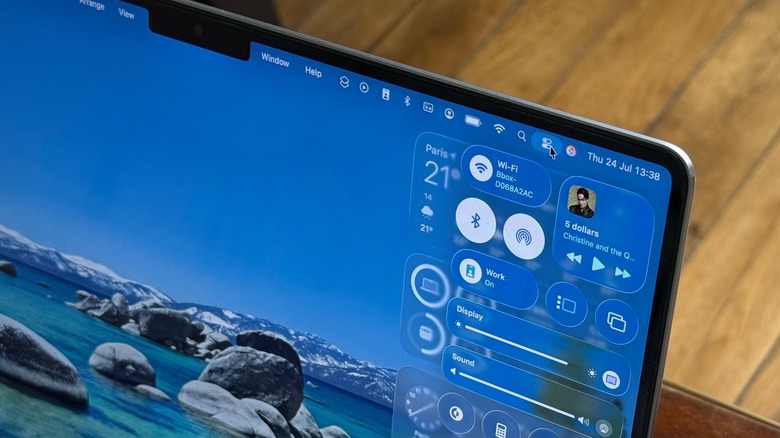
Color accuracy remains at P3 wide‑gamut, but Apple claims a new calibration pipeline that reduces the need for external colorimeters. Early independent reviews note a 0.2 ΔE difference when comparing the M5 Max to the best professional monitors, a margin that many color‑critical professionals deem acceptable.
Who Should Upgrade?
| User Group | Why the M5 Pro? | Why the M5 Max? |
|---|
| Students | Adequate CPU for coding, light video editing, and everyday tasks. | Overkill unless enrolled in a high‑end design or computational‑science program requiring large data sets. |
| Creative Professionals | Excellent for 4K editing, moderate 3D rendering, and AI‑assisted photo work. | Ideal for 8K editing, complex VFX pipelines, and large‑scale compositing projects. |
| Engineers & Scientists | Strong CPU and neural‑engine for simulations and machine‑learning experiments. | 128 GB RAM and top‑tier GPU enable real‑time fluid dynamics or large‑scale genomic data analysis. |
If your workload rarely pushes beyond 32 GB of memory or 4‑GPU cores, the M5 Pro will likely satisfy you. The M5 Max is reserved for those who truly need the extra horsepower, whether that’s pushing 8K footage or running massive neural‑network models on‑the‑fly.
Bottom Line
Apple’s M5 chips are undeniably a milestone in silicon design, delivering measurable gains across CPU, GPU, memory, and AI workloads. For the average power user—students, general content creators, or developers who work with moderate‑size projects—the M5 Pro offers a compelling balance of performance and price. The M5 Max, with its 128 GB of memory, superior GPU, and brighter display, remains the go‑to machine for high‑end professionals who routinely tackle the most demanding media, simulation, or machine‑learning tasks.
Ultimately, the decision hinges on your workflow’s demands: If you’re already maxing out your current MacBook Pro, the M5 Max will feel like a natural step forward; otherwise, the M5 Pro delivers the sweet spot of performance without unnecessary expense.
 Computing