
watchOS 27: New Features, Compatible Apple Watch Models and Release Date
Discover all the new features coming with watchOS 27, including a dedicated Siri app and a unified Find My experience. Learn about compatible Apple Watch models and the release date.

watchOS 27: New Features, Compatible Apple Watch Models and Release Date
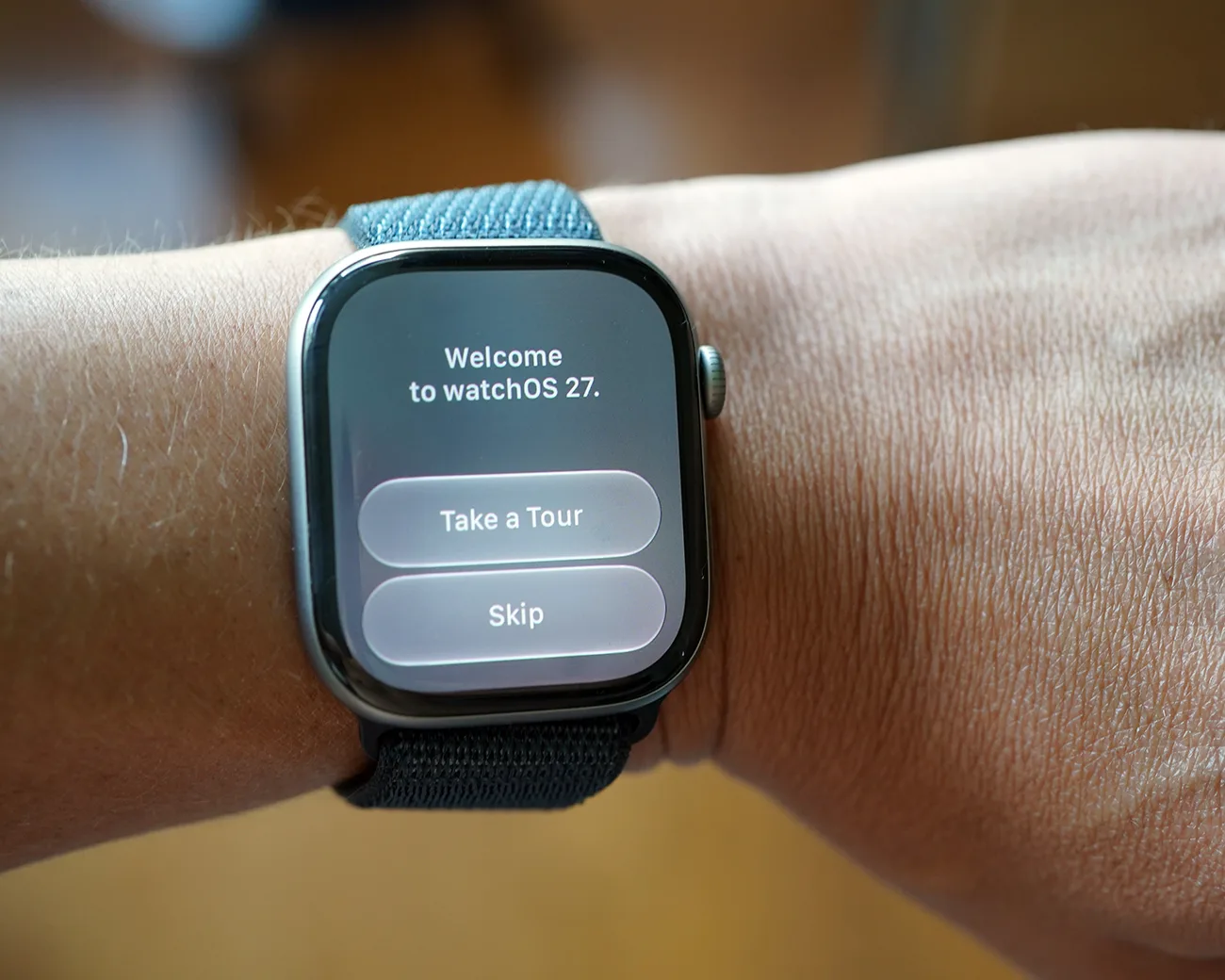
Apple’s annual updates to its operating systems are always a spectacle, and watchOS 27 is no exception. With a slew of new features designed to enhance the Apple Watch experience, the upcoming release is set to redefine how users interact with their devices. Among the most notable changes are a dedicated Siri app and a unified Find My app. If you’re an Apple Watch aficionado or considering an upgrade, here’s everything you need to know about watchOS 27, including compatible models and its anticipated release date.
What’s New in watchOS 27
The watchOS 27 update introduces significant enhancements, including two new applications that aim to streamline user interaction and improve functionality. Apple has focused on making the Apple Watch smarter and more user-friendly, catering to the needs of modern users who rely heavily on seamless connectivity and intuitive interfaces.
Dedicated Siri App
One of the most exciting features of watchOS 27 is the introduction of a dedicated Siri app. This new app is designed to provide a more integrated experience with Apple’s voice assistant. In previous iterations, accessing Siri required users to press the Digital Crown or use their voice, which could feel a bit disjointed. The new Siri app changes that.
This app not only allows users to initiate conversations with Siri but also provides a history of past interactions. This means you can view your previous queries from your Apple Watch, iPhone, Mac, and other connected devices all in one place, creating a unified chat log. This feature significantly enhances the conversational aspect of Siri, making it more useful for everyday tasks. For example, if you ask Siri to set reminders or answer questions, you can easily go back to see what you previously discussed.
Unified Find My App
Another major enhancement is the overhaul of the Find My app. In watchOS 26, users had to navigate through three separate apps: Find Devices, Find Items, and Find People. This fragmentation often made it cumbersome to locate items or individuals quickly. With watchOS 27, Apple consolidates all these features into a single, intuitive Find My app.
The new Find My app offers a map-centric interface that allows users to switch between finding devices, items, or people with ease. This streamlined approach not only simplifies the locating process but also enhances the overall user experience. The app’s unified design is a welcome change, particularly for those who regularly utilize Find My to track various Apple products or keep tabs on loved ones.
New Health Features in watchOS 27
One of the most intriguing aspects of watchOS 27 is its focus on health and fitness. Apple has a history of incorporating health-monitoring capabilities into their wearables, and this latest version is no different. With upgrades to existing features and the introduction of new ones, watchOS 27 is set to enhance how users manage their health.
Enhanced Blood Pressure Notifications
One of the standout features in watchOS 27 is the anticipated upgrade to the high blood pressure notification feature. This enhancement has been under review by the U.S. Food and Drug Administration (FDA), which means Apple is taking the necessary steps to ensure the feature is both effective and safe for users. Unlike traditional blood pressure monitoring devices that provide exact readings, this feature is expected to notify users when their blood pressure levels are outside the normal range. It's like having a personal health coach on your wrist, but one that doesn't judge you for that extra slice of pizza!
Improved Health Monitoring Capabilities
In addition to blood pressure notifications, watchOS 27 is rumored to introduce other health-tracking capabilities. These could include improved heart rate monitoring and enhanced algorithms for more accurate fitness data. Apple has been known for its commitment to health tech, and with each update, the Apple Watch gets closer to being a comprehensive health management tool. You'll be able to track your workouts, monitor your heart health, and even get reminders to stand up and stretch—because who doesn’t need a gentle nudge every now and then?
Advanced Cycle Tracking Features
For users interested in menstrual health, watchOS 27 also brings improvements to the cycle tracking feature. The updated interface is designed to be more user-friendly and intuitive, allowing for better tracking of menstrual cycles, ovulation, and symptoms. This is particularly useful for individuals looking to manage their reproductive health more effectively. Plus, it’s an excellent conversation starter at parties—“Hey, did you know my watch can help me track my cycle?” Just remember to gauge your audience first!
User Interface Enhancements
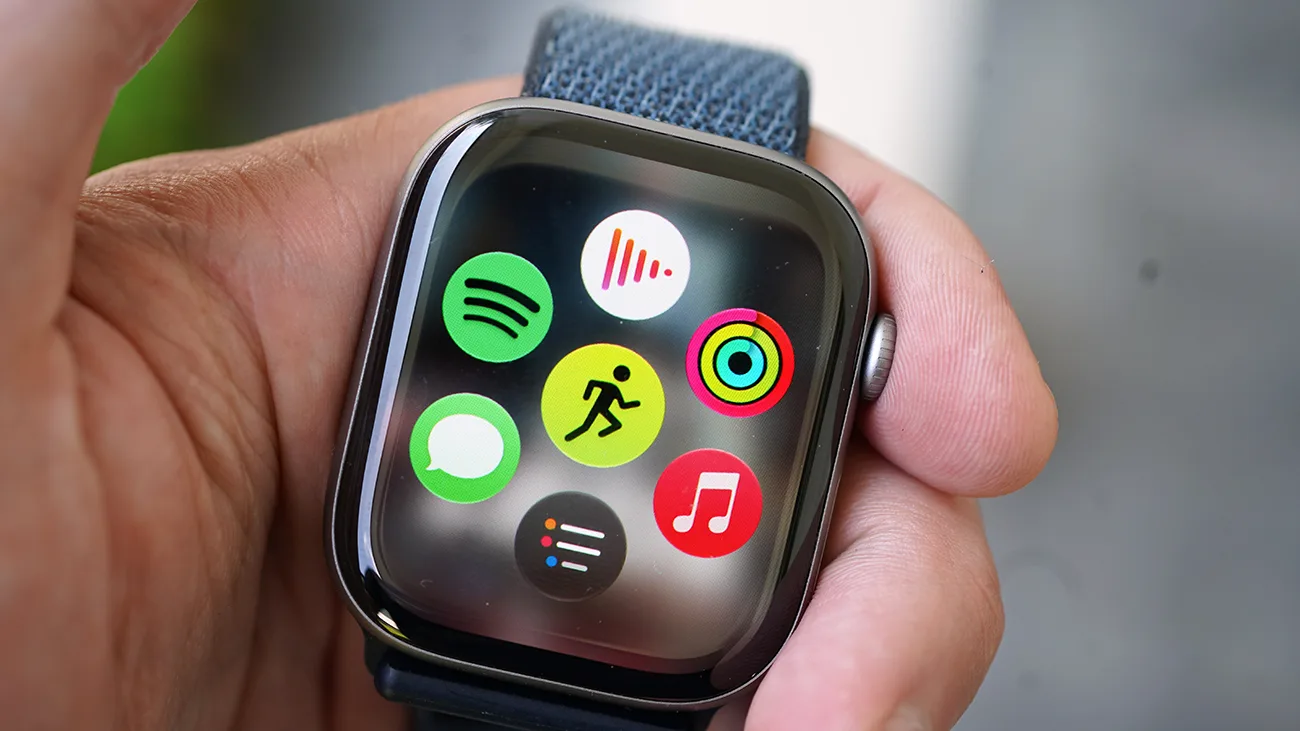
The user interface of the Apple Watch is getting a much-needed facelift in watchOS 27. These enhancements aim to make the watch more intuitive and user-friendly, enabling users to interact with their devices more efficiently.
Dynamic App Grid
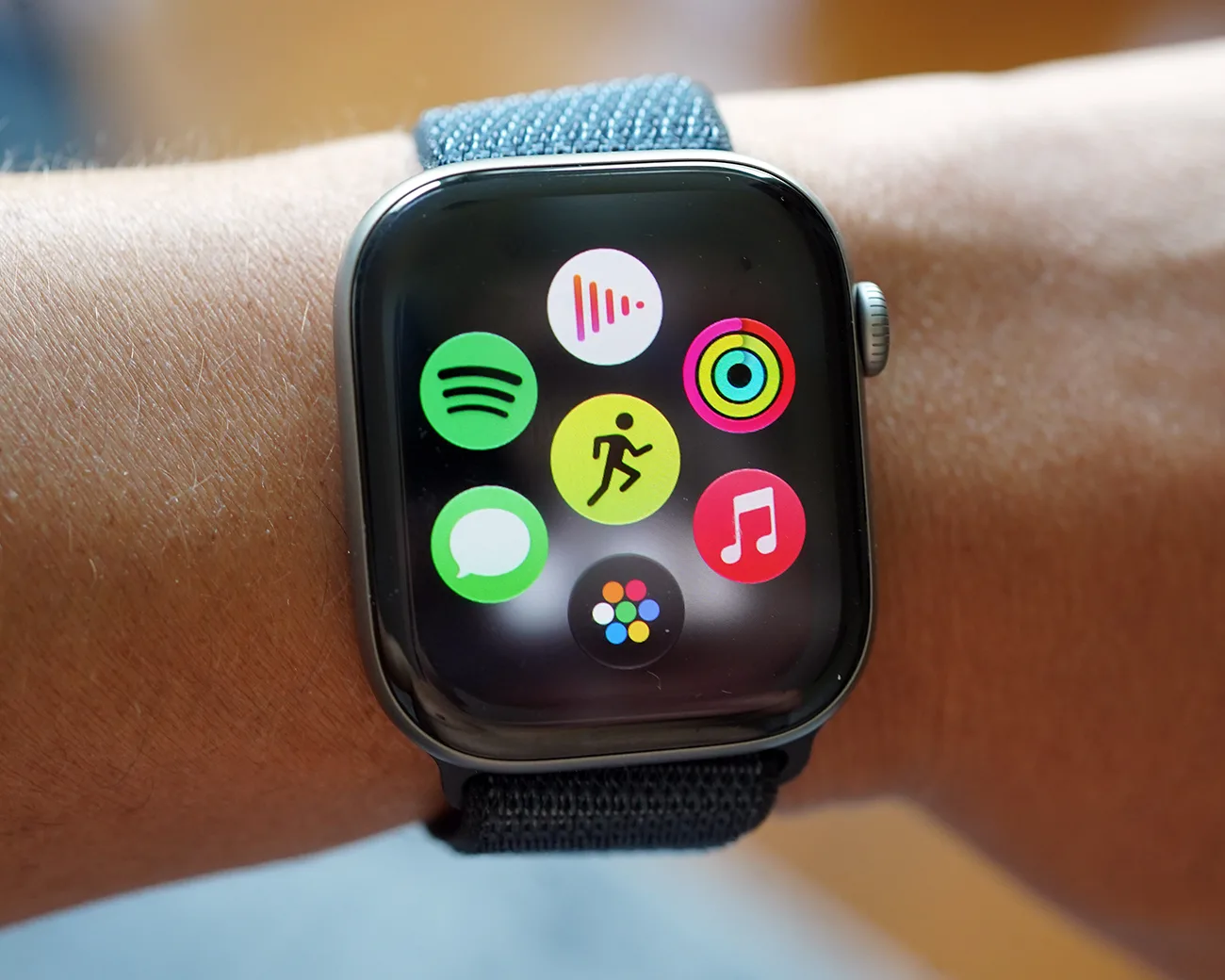
One of the most noticeable changes in watchOS 27 is the introduction of a dynamic app grid. Previously, users had to scroll through a seemingly endless list of apps, which could be frustrating when you’re in a hurry. With the new dynamic app grid, the most used and recently accessed apps are highlighted, allowing for quicker navigation. Just click the Digital Crown once, and voilà! You’re presented with your favorites, making it easier to find what you need without wasting precious seconds.
Improved Battery Efficiency
With great power comes great responsibility—especially when it comes to battery life. Apple has made strides in improving battery efficiency with watchOS 27. This means that if your watch detects you aren’t using certain battery-hogging features, it will automatically turn them off. So, if you’re not using GPS for your afternoon stroll, your watch will help save battery life for when you really need it—like when you’re trying to send an urgent text during a marathon of your favorite series.
Enhanced Siri AI
In addition to the dedicated Siri app, watchOS 27 also brings improvements to the Siri AI itself. The digital assistant is now smarter and more responsive, with the ability to understand context better than ever. This means you can ask follow-up questions without needing to restate everything. For instance, if you ask Siri about the weather and then follow up with "What about tomorrow?", it won't give you a blank stare—figuratively speaking, of course. This enhancement makes interactions feel more natural and conversational.
Intuitive Find My App Interface
In line with the unified Find My app, the interface has been revamped for better usability. The map-centric layout not only looks cleaner but also allows users to switch between finding devices, items, and people with a simple tap. This enhancement makes a world of difference when you’re in a rush and need to locate your keys or your friend who seems to have vanished into thin air. The new interface allows for quick toggling, making the app feel as snappy as your favorite coffee shop’s barista during the morning rush.
Compatible Apple Watch Models
As with any major software update, the question of compatibility is crucial. Apple has decided to narrow down the list of supported devices for watchOS 27, meaning that not every Apple Watch will receive the new features. The following models are compatible with watchOS 27:
- Apple Watch Series 9
- Apple Watch Series 10
- Apple Watch Series 11
- Apple Watch SE (3rd generation)
- Apple Watch Ultra 2
- Apple Watch Ultra 3
What’s noteworthy is that this update drops support for several older models, including the Series 6, 7, and 8, as well as the original Ultra and the second-generation SE. This shift means that users of these older models will no longer receive new features with watchOS 27, though they may continue to receive security updates for a limited time.
Release Date for watchOS 27
Mark your calendars: watchOS 27 is set to be released in September 2026. This timing aligns with Apple’s traditional schedule for unveiling new products, including the latest iterations of the iPhone and Apple Watch models. With the announcement typically occurring in early September, we can expect the new software to roll out shortly thereafter.
What to Expect During the Release
During the release event, Apple is expected to showcase not only watchOS 27 but also the latest Apple Watch models, likely including the Series 12 and possibly the Ultra 4. The anticipation surrounding these new devices is palpable, especially with rumors of enhanced health monitoring features and improved performance.
If you’re considering an upgrade, it might be wise to wait for this event. New Apple Watch models often come with significant enhancements, and existing models typically see price reductions following a new launch.
Should You Upgrade?
If you currently own an Apple Watch model that is compatible with watchOS 27, the new features make a compelling case for upgrading. The dedicated Siri app and the unified Find My app are designed to create a more cohesive and efficient user experience.
However, if you have a Series 6, 7, or 8, you might want to consider the longevity of your device. While these watches may still function adequately, the lack of support for new features could influence your decision to upgrade sooner rather than later.
Evaluating Your Current Model
For those unsure about whether to upgrade, consider the following:
-
Battery Life: Over time, battery health can decline. Many users report that their Apple Watches last around four to six years before the battery starts to falter. If your Apple Watch is struggling to hold a charge, it might be time to look for a replacement.
-
Feature Set: With each new iteration, Apple introduces advanced health monitoring features such as blood oxygen tracking and ECG capabilities. If these features are important to you, upgrading to a newer model could be beneficial.
-
Performance: Newer models come with improved processors that enhance performance and responsiveness. If you find your current model lagging, upgrading may provide a smoother experience.
Pricing Considerations
As we approach the September launch date, keep an eye on pricing. Apple has historically raised prices on some products, but the Apple Watch has remained relatively stable in terms of pricing. Analysts speculate that there could be a modest increase of $30 to $50 with the new models, but currently, there’s no solid evidence to support a price hike.
If you’re considering purchasing an Apple Watch now, it might be prudent to look for discounts during major sales events. Retailers often offer significant markdowns on Apple products, especially around Amazon Prime Day and Black Friday.
Conclusion
watchOS 27 promises to enhance the Apple Watch experience with its new features, including a dedicated Siri app and a streamlined Find My app. With the release set for September 2026, Apple fans and tech enthusiasts alike have much to look forward to. Whether you choose to upgrade or wait for the latest models, the improvements in watchOS 27 are sure to make your Apple Watch even more indispensable in your daily life.
So, whether you're a current Apple Watch user or just contemplating your first purchase, now is the time to consider how these updates might fit into your lifestyle.
Newsletter
Get the morning gadget briefing
A short recap of the stories that actually matter — phones, AI, EVs, and the rest — in your inbox.
No spam. We’ll only send the briefing.
Keep reading
Read next
More in Apple Intelligence




Comments (0)
Keep it civil. Anyone can reply. Edit and delete stay on this browser after refresh.
No comments yet. Start the conversation.